

Basics of Forex Trading for South Africans
🌍 Learn the essentials of forex trading, from currency pairs to risk management, with practical tips tailored for South African traders. 📈💰
Edited By
Thomas Grey
Forex trading demands speed and reliability, especially when the market can shift in seconds. Picking the right laptop isn’t just about specs or brand; it’s about finding a machine that keeps you ahead while fitting into South Africa’s unique trading environment.
Your laptop needs solid processing power for running charting software and multiple browser tabs without lag. But it must also handle South African challenges — like data costs that can pile up fast and loadshedding that interrupts power supply.
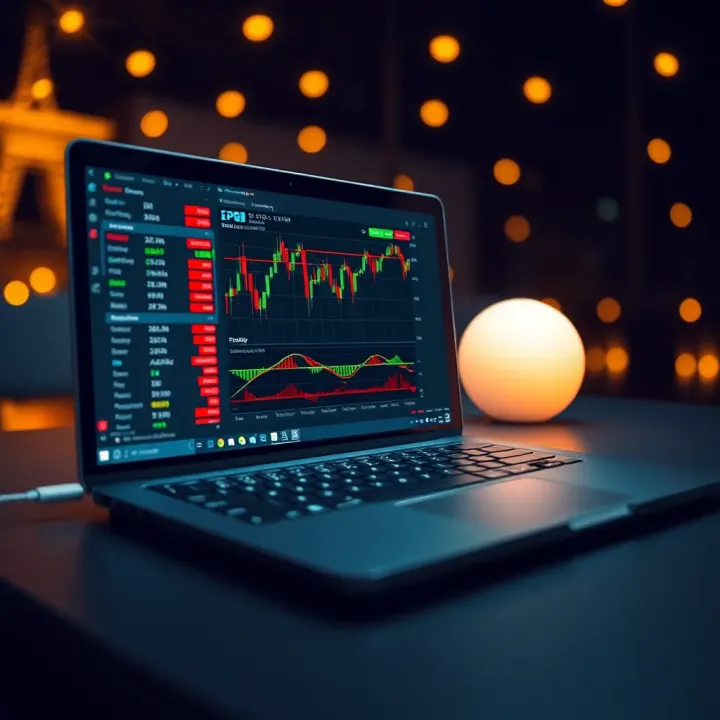
Choosing a laptop with long battery life and good offline capabilities lets you keep trading even when the lights go out, which is a real advantage here.
Besides the basics, portability matters. Traders often need to move between home, offices, or internet cafés. A light but sturdy laptop with a comfortable keyboard and clear display makes those hours staring at charts easier on the eyes and fingers.
Local factors play a big role too. With high data prices from providers like Vodacom and MTN, you’ll want laptops that support efficient network connectivity, such as reliable Wi-Fi 6 or LTE options. Also, a laptop with energy-efficient hardware can help keep power bills in check when running on battery or an inverter during power cuts.
We’ll dive into essential features, types of laptops suited to trading, and recommendations that balance budget with performance. Whether you want to run MetaTrader 4, TradingView, or Bloomberg Terminal, there’s a setup for you. These insights will help you make a sound choice suitable for the demands of South African forex trading.
In short, a good trading laptop doesn’t just boost your workflow — it helps you adapt to local realities without compromising on speed or reliability.
Choosing the right laptop for forex trading in South Africa means balancing performance, display quality, and reliable connectivity. Traders rely heavily on software that demands snappy processing while displaying complex charts clearly. Plus, disruptions like load-shedding and spotty data coverage make portability and battery life practical must-haves.
Processor speed and cores matter because forex trading platforms need to handle real-time data and multiple windows without lagging. A fast quad-core or better CPU will manage simultaneous tasks—like running MetaTrader 4 alongside news alerts and charting tools—smoothly. Slower processors can freeze your screen, which might cost you a trade.
RAM capacity is another key factor. At minimum, 8GB RAM allows traders to keep several applications open without stalling. If you monitor multiple currency pairs or use resource-heavy software with indicators, 16GB is ideal. Less RAM means slower response times when switching between apps or refreshing live data.
Storage types and speed influence how swiftly your system boots and loads software. Solid-state drives (SSDs) outperform traditional hard drives by a long shot, speeding up startup times and access to historical data or large files. A fast 256GB or 512GB SSD offers enough room for your trading platforms, data logs, and even some entertainment during downtime.
Screen size and resolution directly affect how clear and detailed your trading charts appear. A 14 to 15.6-inch laptop with Full HD (1920x1080) resolution offers crisp lines and enough room for multiple windows. Smaller screens or lower resolutions can strain your eyes, especially when scrutinising candle patterns or indicators.
Colour accuracy and brightness help distinguish chart elements accurately under various lighting conditions. Monitors with good sRGB coverage and brightness above 250 nits make it easier to see subtle differences in indicators or trend lines—especially important when trading from a bright home office or café.
Matte versus glossy screens also matter. Matte screens cut glare, reducing reflections when trading near windows or in sunny spots. Glossy displays offer punchier colours but can become frustrating if you deal with reflections often, particularly during daylight.
Wi-Fi and Ethernet reliability ensure uninterrupted market access — essential for timely trade execution. Laptops with the latest Wi-Fi 6 standard offer better speeds and stability in busy urban spots or shared networks. An Ethernet port remains handy if you want a wired connection at home or office for minimal latency.
USB and HDMI ports let you expand your setup. USBs connect peripherals like external keyboards or mice, while HDMI allows hooking up extra monitors—a common need for traders tracking multiple charts simultaneously. A laptop with at least two USB ports and one HDMI is ideal.
Battery life for mobility can't be overlooked in South Africa's load shedding context. A machine lasting 6 hours or more unplugged lets you trade confidently during power cuts or when travelling. Lightweight laptops with efficient power use help you stay productive without hunting for plugs.
Selecting a laptop that balances these factors makes forex trading smoother, helping you stay ahead in fast-moving markets amid South Africa's unique challenges like fluctuating power and data availability.
Selecting the right type of laptop plays a key role in ensuring smooth forex trading, especially for South African traders who balance both performance and mobility. Different laptop styles offer specific advantages based on how traders work, the software they use, and their budget constraints. Knowing these categories will help you pick a system that matches your trading demands without overspending.
Lightweight design: Ultrabooks are known for being featherlight—often weighing less than 1.5 kg—and slim. This makes them ideal for traders who are frequently on the move, attending meetings or managing trades from cafés or airports. Take the Dell XPS 13 or Lenovo Yoga Slim; both slip easily into bags and don’t drag your shoulders down during a long day on the road.
Efficient performance for multitasking: Despite their slim profiles, ultrabooks pack enough punch for running multiple trading platforms, analysis software, and browser tabs simultaneously. With modern Intel i5 or i7 processors and at least 8GB RAM, they handle the likes of MetaTrader 4, TradingView, and Excel without lag. This balance of power and portability lets you stay nimble without compromising on real-time data processing.
Powerful CPUs and GPUs: Gaming laptops traditionally offer robust specs with desktop-grade CPUs and dedicated graphics cards. For forex traders running complex charting software or simultaneous backtesting, such muscle can translate into faster computations and smoother visuals. A model like the ASUS ROG Zephyrus with an Intel i7 processor and NVIDIA GTX graphics can manage several high-demand applications without breaking a sweat.
Better cooling systems: The high processing power in gaming laptops generates more heat, but these devices come with enhanced cooling mechanisms—multiple fans, heat pipes, and vent placements—that keep temperatures manageable. For traders in South Africa facing long trading hours in summer, this avoids performance throttling that cheap notebooks might struggle with, ensuring continuous reliability.
Affordable options: Trading doesn’t always require a fancy rig, especially if you’re just starting out or trading part-time. Budget laptops like the HP Pavilion or Acer Aspire deliver decent Intel i3 or AMD Ryzen 3 processors at a fraction of premium costs. These units give you access to core trading platforms and charting tools without denting your wallet.
Trade-offs in performance and build: Lower-priced laptops usually compromise on things like build quality, screen resolution, and storage speed. For example, they might rely on slower HDD drives instead of SSDs, affecting boot and load times. You might also find weak speakers and less comfortable keyboards, which can be irksome during extended sessions. Knowing these limits helps you set realistic expectations and upgrade selectively in future.
Choosing among ultrabooks, gaming laptops, and budget models involves weighing convenience, power, cost, and durability against your unique trading style. Understanding these distinctions ensures you pick a laptop that supports consistent, effective forex trading in the South African environment.
Picking the right laptop can make a big difference for forex traders based in South Africa. It’s not just about having a machine that runs your trading software smoothly; local factors like data costs, power interruptions, and your trading style all influence which laptop suits you best. This section lays out laptop options across different budgets and needs, so you can make a well-informed choice.
Professional traders demand laptops that can handle intensive multitasking and complex charting software without hiccups. Premium models such as the Dell XPS 15, Apple MacBook Pro 16-inch (with M1 Pro or M2 chips), and Lenovo ThinkPad X1 Carbon offer powerful processors, ample RAM (16GB or more), and high-resolution displays ideal for analysing multiple currency pairs simultaneously. These laptops also come with fast SSD storage that speeds up data access and software response times, crucial in a market where milliseconds can affect profits.
These high-end machines typically cost between R30,000 and R60,000 in South African retailers. Prices might be higher depending on configurations or if imported. While the upfront cost feels steep, the durability, support, and advanced features provide value for serious traders who rely on consistent performance—especially traders working full-time or handling significant capital.
For those needing solid performance without breaking the bank, mid-range laptops like the HP Pavilion 15, Acer Swift 3, or ASUS VivoBook S15 deliver well-rounded specs. These often feature Intel i5 or Ryzen 5 processors, 8–16GB RAM, and full HD displays, suitable for running standard forex platforms and keeping several windows open without slowing down. Local shops often stock these at reasonable prices with warranty support.
Mid-range laptops offer a strong balance between cost and capability, ideal for part-time traders or those just scaling up from basic setups. While not as fast as premium choices, they still provide reliable performance and better battery life than budget models. It’s wise to prioritise models with SSD drives and minimum RAM of 8GB to avoid shortages during heavy software use.
If you’re new to forex trading or each Rand counts, entry-level laptops such as the Lenovo IdeaPad 3, HP 14, or Dell Inspiron 14 offer affordability without sacrificing basic functionality. These models generally cost between R7,000 and R12,000 and can run trading software with fewer tabs open and lighter multitasking.
Ideally, seek laptops with at least 4GB RAM (8GB if possible), Intel Pentium or AMD Ryzen 3 processors, and SSD storage for quicker boot times. While the screens might not be the brightest or most colour-accurate, they suffice for beginners focusing on smaller trades or learning the ropes. As trading needs grow, upgrading to a mid-range or premium laptop becomes advisable.
Choosing the right laptop depends on your trading frequency, software demands, and budget. A solid investment upfront saves stress down the line, especially in South Africa where power and data issues can affect workflow.
When choosing a laptop for forex trading, hardware is only part of the story. Your overall setup—including software compatibility, data connectivity, and uninterrupted power supply—plays a big role in keeping your trades smooth and timely. This section highlights practical tips to get the most out of your laptop and trading experience in South Africa.
Picking the right trading platform is essential. Whether you prefer MetaTrader 4, MetaTrader 5, cTrader or web-based platforms like TradingView, your laptop must handle the software without lag or crashes. Many platforms run multiple charts and indicators simultaneously, so responsiveness impacts your decision-making speed. For example, MT4 and MT5 have different system needs; MT5 generally requires more CPU power but offers advanced features.
System requirements depend heavily on your chosen platform’s complexity. Basic laptops might run simple setups fine but can struggle with heavy charting, multiple indicators, or automated trading bots. Most platforms list minimum and recommended specs—look for at least an Intel i5 processor or AMD Ryzen 5 equivalent, 8GB of RAM, and SSD storage for quick data access. These specs prevent frustrating slowdowns that could cost you money during volatile market moments.
Connectivity can be a pain point because data costs are relatively high, especially for continuous live prices and news feeds. South African traders often weigh prepaid versus postpaid data plans. Prepaid gives control—no surprise bills—but it requires careful top-up management to avoid unexpected downtime. Postpaid plans can offer better speeds and more data but watch for contract terms that might tie you down.
It’s wise to have offline backup tools handy. Desktop applications with downloadable charts or exporting data snapshots allow you to analyse markets when your connection falters. Also, setting up your laptop with mobile data tethering (using your cellphone’s connection) can be a lifesaver, especially during loadshedding or in remote areas with patchy Wi-Fi.
Loadshedding disrupts trading, making a steady power supply vital. Investing in an uninterruptible power supply (UPS) or inverter can keep your laptop running during short outages. UPS systems provide seconds to minutes of backup power, enough to save work and close trades safely. Inverters connected to car batteries or solar banks give longer autonomy but require more setup.
Solar-powered solutions are gaining traction among South African traders seeking independence from Eskom’s irregular power. Solar panels combined with battery storage can power laptops and routers through loadshedding stages. This setup is a sound investment if you trade professionally from home, ensuring you stay connected and powered no matter the grid’s mood.
Staying ahead in forex trading means thinking beyond just hardware. Managing software needs, data plans, and power backup effectively can be the difference between a profit and a missed opportunity.
🌍 Learn the essentials of forex trading, from currency pairs to risk management, with practical tips tailored for South African traders. 📈💰

Explore top Forex trading seminars in South Africa 🇿🇦. Learn how to select the best seminar, key topics, and tips to get the most from your experience 📈📝.

📈 Ready to start forex trading in South Africa? Learn how to choose brokers, register your account, and get top tips for beginners. Start smart today!
📚 Explore top forex trading schools in South Africa! Learn how to pick the right program, what to expect, and boost your trading skills wisely. 💹
Based on 6 reviews